Updated March 2026
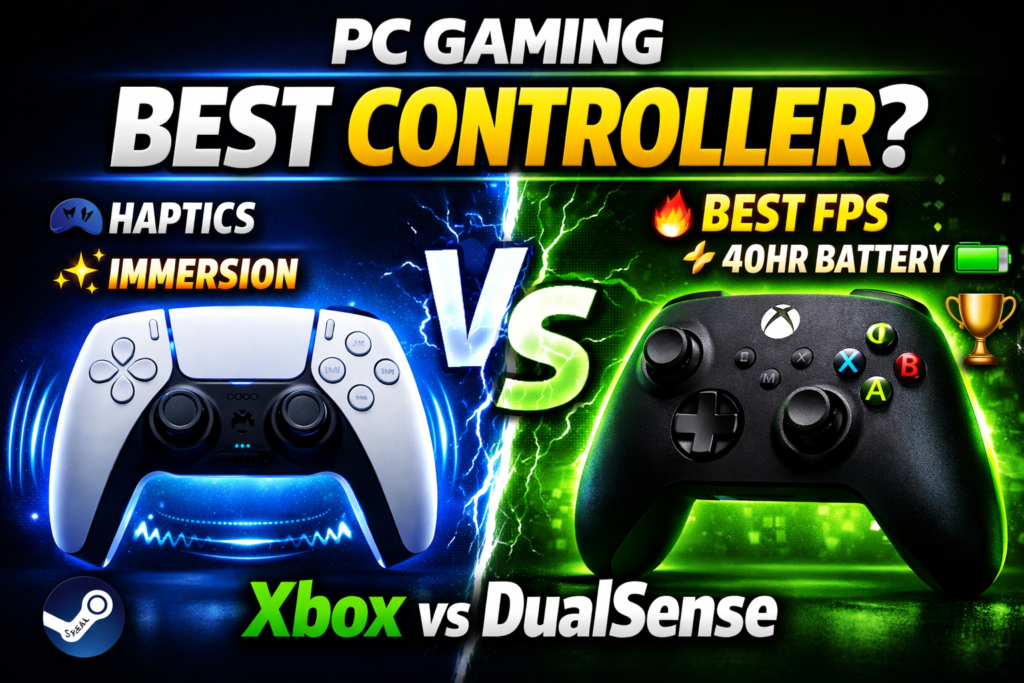
⚡ Quick Answer: Searching for the best controller for PC gaming in 2026 has to offer? The Xbox Wireless Controller wins for most players — zero setup friction, 30–40 hour battery, and universal compatibility. The DualSense wins on immersion for Steam-heavy, single-player setups. Full breakdown below.
If you play competitive FPS or use multiple game launchers → Skip to the Xbox section. If you game primarily through Steam and prioritize immersion → Skip to the DualSense section. Not sure yet? Read the comparison table first — it takes 30 seconds.
What Is the Best Controller PC Gaming 2026 Can Offer?
The best controller for PC gaming in 2026 comes down to two options: the Sony DualSense and the Microsoft Xbox Wireless Controller. The DualSense is Sony’s PS5 pad — engineered for immersion through adaptive triggers and haptic actuators. The Xbox Wireless Controller is Microsoft’s standard pad, built around Windows-native compatibility and long-session reliability. They cost within $15 of each other. The difference is what they prioritize.
Full Comparison Table: DualSense vs Xbox Wireless Controller (2026)
| Feature | DualSense | Xbox Wireless |
| Price (2026) | ~$69–74 | ~$59–65 |
| Weight | 280g | 287g |
| Battery Life | 9–12 hours | 30–40 hours |
| Battery Type | Built-in Li-ion | 2× AA (swappable) |
| Charging | USB-C (built-in) | Play & Charge Kit (sold separately) |
| Haptics | Dual haptic actuators | Rumble motors |
| Triggers | Adaptive (variable resistance) | Standard analog |
| PC Plug & Play | Partial — wired only | Full — wired + wireless |
| Steam Support | Full (haptics + gyro) | Full (native) |
| Wireless on PC | Bluetooth | Bluetooth + Xbox Adapter |
| D-Pad Quality | Excellent | Good |
| Best For | Steam / Single-player / Immersion | FPS / Competitive / All launchers |
| Overall Rating | 8.2 / 10 | 8.6 / 10 |
Table of Contents
- How We Tested
- DualSense vs Xbox: Full Feature Comparison
- PC Compatibility — Steam, Windows 11 & Wireless Setup
- Battery Life & Long-Session Comfort
- Thumbstick Drift & Long-Term Durability
- Who Should Buy Which?
- Best Games to Test These Controllers
- Best Alternatives to Consider
- Pros & Cons
- Final Verdict
How We Tested
Testing period: 6 weeks, March 2026 System: Windows 11 (latest update), RTX 4070 desktop, mid-range gaming laptop with budget Bluetooth chip Launchers tested: Steam, Epic Games, GOG, Xbox App Games used: Elden Ring, Call of Duty: Black Ops 6, Cyberpunk 2077, FIFA 25, Hades II, Fortnite, Hollow Knight
Both controllers were tested wired and wirelessly across competitive and single-player sessions ranging from 45 minutes to 5-hour continuous runs. Haptic support was tested natively through Steam and via DS4Windows on non-Steam titles.
DualSense vs Xbox Controller: Full Feature Comparison
Haptics vs Rumble — The Real Difference
This is not a minor upgrade. The DualSense uses dual voice-coil haptic actuators that simulate precise physical textures — gravel under tires, rain on a surface, bowstring tension. Conventional Xbox rumble motors vibrate the whole controller at set intensities. It works, but it’s blunt.
In Elden Ring and Cyberpunk 2077 through Steam, the DualSense haptic difference is immediately noticeable. Combat hits register with distinct weight. In Call of Duty, the Xbox’s rumble is clean and consistent — it confirms kills without any immersion overhead slowing down your reaction loop.
For pure competitive play, rumble is the better choice. For story-driven titles, haptics change the experience in a way that’s hard to go back from.
Adaptive Triggers vs Standard Triggers
The DualSense L2/R2 triggers change resistance dynamically per game state. Drawing a bow in Elden Ring pushes back. A jammed weapon locks up with physical feedback. Steam activates this natively in supported titles.
For FPS performance, this is actually a disadvantage. Adaptive resistance introduces variable friction on every shot. Competitive players in Call of Duty consistently disable it. The Xbox trigger — smooth, linear, predictable — is preferred for fast-fire response where every millisecond of trigger travel matters.
Build Quality & Ergonomics
Build quality is close. The DualSense has a premium matte-and-gloss finish with a built-in touchpad and speaker, though it picks up fingerprints easily. The Xbox uses a textured rubberized grip that has proven durable across multiple generations — bumpers and triggers hold up well under heavy daily use.
On ergonomics, the Xbox’s asymmetric thumbstick layout keeps the left thumb in a more neutral anatomical position during long sessions. The DualSense’s symmetric layout can cause mild left-thumb fatigue over 3+ hours — small, but it compounds across a weekly gaming schedule.
PC Compatibility — Which Controller Works Best on Your PC Setup?
Xbox: True Plug-and-Play on PC
Plug the Xbox Wireless Controller into a USB port, and Windows recognizes it instantly. No drivers, no software, no configuration. XInput is the standard Windows and PC gaming are built around — every game that supports controllers supports Xbox layout first. Prompts, button icons, and button mapping all default to it across Steam, Epic, GOG, and direct .exe launches.
The Xbox Wireless Adapter (~$25) adds low-latency proprietary wireless — more stable than Bluetooth on most gaming laptops.
DualSense on PC: What Actually Works
Through Steam, the DualSense is excellent. Full adaptive trigger support, haptics, and gyro activate automatically in compatible titles. Outside Steam, you need DS4Windows (free) or DualSenseX to map inputs and unlock full functionality.
Bluetooth works on modern machines, but can drop on older gaming laptops with budget Bluetooth chips. Windows 11’s March 2026 updates have improved DualSense Bluetooth stability noticeably — but the Xbox adapter approach remains more reliable for consistent wireless.
DualSense PC Setup Guide (Quick)
Via Steam (recommended): Go to Steam → Settings → Controller → Enable PlayStation Controller Support. Done. Haptics and adaptive triggers activate per-game automatically.
Outside Steam: Download DS4Windows → Run as administrator → Connect DualSense via USB-C or Bluetooth → Map inputs and save profile. Most non-Steam games will now read the DualSense as an Xbox controller for full compatibility.
Battery Life & Long-Session Comfort
Real-World Battery Numbers
The DualSense runs on a built-in 1560 mAh Li-ion — roughly 9 to 12 hours with haptics enabled, and approximately 13 to 15 hours in our testing with haptics turned off. Charges via USB-C in approximately 3 hours. When it dies, you wait or play tethered. No hot-swapping.
The Xbox Wireless Controller runs on 2× AA batteries — typically 30 to 40 hours per cycle with quality rechargeables like Eneloops. The Play & Charge Kit adds USB-C charging. The key advantage is hot-swapping: fresh batteries mid-session in under 10 seconds. No low-battery warnings interrupting a boss fight.
For weekend-long sessions and tournaments, the Xbox battery system is practically superior. For daily 2–4 hour sessions, both are fine.
Thumbstick Drift & Long-Term Durability
Thumbstick drift is the most-searched long-term concern for both controllers.
The DualSense had documented drift issues at launch in 2020–2021. Sony updated the internal mechanism in later production runs, and units from 2024–2025 onward show noticeably lower reported drift rates based on user feedback across major communities. The adaptive trigger mechanism adds mechanical complexity — more moving parts mean more potential points of wear over time.
The Xbox Wireless Controller uses a more conventional potentiometer-based stick mechanism. It’s not immune to drift, but its simpler design and Microsoft’s longer iteration cycle mean it has a stronger track record for long-term reliability across heavy daily use.
Bottom line on durability: Both are solid for 2–3 years of regular use. If longevity is a primary concern, the Xbox’s simpler internals give it a slight edge.
Who Should Buy Which? (Gamer Type Breakdown)
Buy the DualSense if you:
- Game primarily through Steam
- Prefer single-player, story-driven, or RPG titles
- Want the most immersive experience modern controller tech offers
- Play on a desktop with a stable Bluetooth or wired connection
- Have a library built around Elden Ring, Cyberpunk 2077, or Hades II
Buy the Xbox Wireless Controller if you:
- Use multiple launchers (Steam, Epic, GOD, Xbox App)
- Play competitive FPS — Call of Duty, Fortnite, Valorant with a controller
- Want zero setup, zero configuration, zero friction
- Game on a laptop and need a reliable wireless connection
- Are you a student or budget-conscious player building your first setup
- Play long sessions where battery swapping matters
Best Games to Test — Best Controller PC Gaming 2026 Stress Tests
To fully evaluate performance and responsiveness, test with titles that stress different input systems. For haptics and adaptive triggers, Cyberpunk 2077 and Elden Ring through Steam show the DualSense’s full capability. For FPS response and trigger precision, Call of Duty: Black Ops 6 is the clearest benchmark.
For ability-based gameplay with fast skill activation — games like Black Myth: Wukong and Hades II, where rapid combat feedback and chained inputs matter — the DualSense’s adaptive resistance creates a satisfying physical rhythm that makes every hit and ability feel earned. For strategy titles like Age of Empires IV and Into the Breach, where control precision and clean analog response directly determine outcomes, the Xbox’s consistent dead zones and wired zero-latency input are the sharper tool.
Best Alternatives to Consider
If neither controller fully fits your needs, these are worth considering:
8BitDo Ultimate 2C Wireless (~$35) — Best budget pick. Hall-effect sticks (drift-resistant by design), excellent PC compatibility, and solid build. Lacks haptics but outperforms both on longevity per dollar.
Razer Wolverine V3 (~$99) — Best for competitive FPS. Hair-trigger mode, remappable buttons, wired-first design built for low-latency inputs. Heavy premium, but justified for ranked play.
Xbox Elite Series 2 (~$140) — Best premium upgrade for Xbox users. Adjustable tension thumbsticks, trigger stop switches, rubberized grip panels, and a rechargeable battery pack. The top end of the Xbox ecosystem.
PowerA Fusion Pro 3 (~$80) — Mid-tier option with mappable back buttons and detachable cable. Good value between standard and Elite.
Pros & Cons
DualSense
Pros:
- Best haptic feedback of any consumer controller available
- Adaptive triggers transform compatible Steam titles
- Full Steam support, including haptics, gyro, and button remapping
- USB-C charging built-in, no accessory required
- Excellent D-pad for fighting games and 2D platformers
Cons:
- Shorter battery life (9–12 hours with haptics active)
- Requires DS4Windows or DualSenseX outside Steam
- Bluetooth reliability varies on older gaming laptops
- Adaptive triggers add friction in competitive FPS — most players disable them
- Slightly higher price with no meaningful PC advantage over Xbox at base tier
Xbox Wireless Controller
Pros:
- True plug-and-play on Windows 10 and 11 — zero setup
- 30–40 hour battery life with hot-swap capability
- XInput ensures compatibility with every PC game that supports controllers
- Ergonomics favour long sessions (asymmetric stick layout)
- Lower entry price (~$59–65)
- Rock-solid wireless via Xbox adapter
Cons:
- No adaptive triggers or advanced haptics on the base model
- AA batteries feel dated as the default in 2026
- Fewer immersive features for single-player story games
- USB-C charging requires Play & Charge Kit (sold separately, approximately $25)
⚠️ Bottom Line For most PC gamers in 2026 — especially those using multiple launchers, playing competitive titles, or building their first setup — the Xbox Wireless Controller is the smarter buy. It costs less, works everywhere immediately, and outlasts the DualSense in every battery scenario. The DualSense is the right choice only if Steam is your primary launcher and immersion in single-player games is your priority. Both are excellent. One is just more practical.
Final Verdict — Best Controller PC Gaming 2026
Xbox Wireless Controller wins for:
- Competitive and FPS gaming
- Multi-launcher PC setups (Steam + Epic + GOG)
- Students and budget-conscious buyers
- Gaming laptops and travel setups
- Long sessions where battery reliability matters
DualSense wins for:
- Steam-exclusive or Steam-primary libraries
- Immersive single-player and RPG titles
- Players who want cutting-edge haptic technology
- Desktop setups with a stable Bluetooth or wired connection
Overall winner: Xbox Wireless Controller — on compatibility, battery life, price, and zero-friction daily use. The DualSense earns its place for the right player, in the right setup. It is not the safest general recommendation.
Neither choice is wrong. But if you handed this decision to 100 PC gamers with mixed libraries and asked them to choose once, the Xbox wins most of those rooms.
© 2026 DaniGamer · Tested in popular games · Based on real gaming scenarios · Updated March 2026 Official specs: Sony DualSense Product Page · Xbox Wireless Controller