Hands-on tested | Updated April 2026
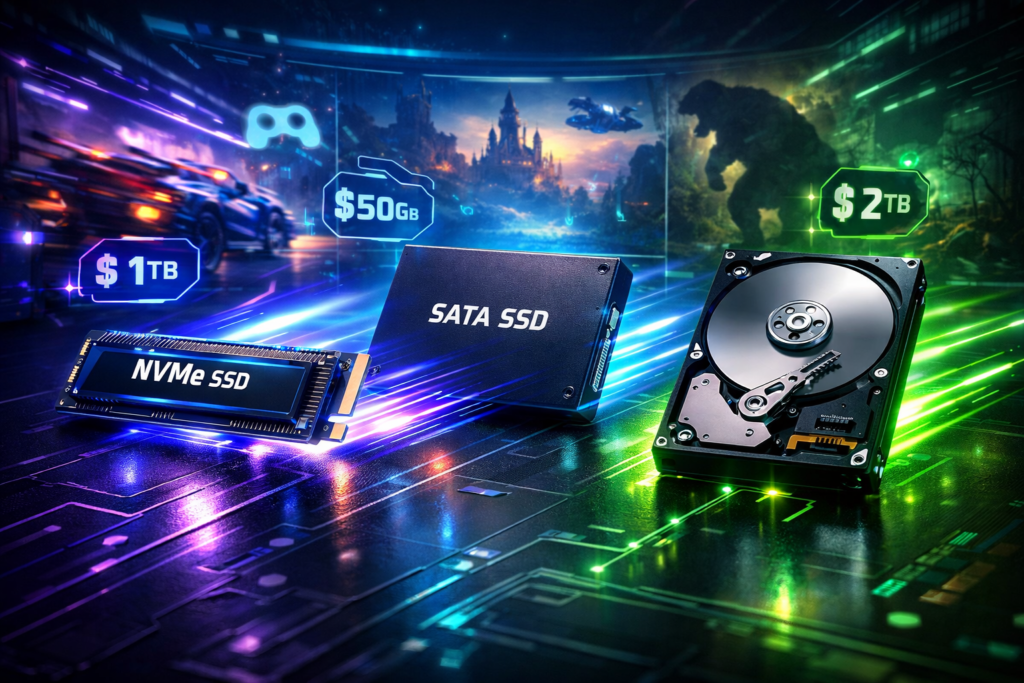
If you’re confused between SSD and HDD storage for gaming, this comparison will help you decide. The SSD vs HDD for gaming debate has shifted dramatically in 2026 — load times, performance consistency, and price per GB have all changed in ways that affect real buying decisions. Whether you’re building a new PC, upgrading an existing rig, or just trying to find the best storage for gamers within your budget, the answer involves more than picking whichever drive is cheapest.
Based on hands-on testing across multiple storage configurations and game titles, here’s what actually matters in 2026. We’ve covered NVMe, SATA SSD, and HDD across every real gaming scenario — from ranked competitive matches to open-world exploration. Here’s everything you need to make the right call.
⚔️ Quick Comparison Table
Before diving in, here’s how SSD and HDD stack up at a glance — the full breakdown follows in every section below.
| Feature | NVMe SSD | SATA SSD | HDD |
| Load Times | Fastest | Fast | Slow |
| Read Speed | 3,500+ MB/s | 500–550 MB/s | 80–160 MB/s |
| Capacity Range | 250GB–4TB | 250GB–4TB | 1TB–16TB+ |
| Price per GB | Higher | Mid-range | Lowest |
| Noise | Silent | Silent | Audible |
| Durability | No moving parts | No moving parts | Mechanical — fragile |
| Best For | Competitive gaming | Budget SSD gaming | Mass storage only |
| Form Factor | M.2 slot | SATA port | SATA port |
Which column fits your build and budget? Keep reading — the table is just the surface.
⚡ Performance Comparison: NVMe vs SATA vs HDD
The speed difference between these three storage types is not a small incremental gap — it’s a difference of entire orders of magnitude that shows up in every gaming session. Understanding what separates NVMe vs SATA SSD from each other and from HDD is the foundation of every decision in this article.
NVMe SSD
NVMe SSDs connect via the M.2 slot directly to the PCIe lane on the motherboard — bypassing the SATA interface entirely and accessing a much faster data pathway. Modern Gen 4 drives deliver read speeds of 3,500–7,000+ MB/s, and Gen 5 drives push even further beyond that in high-end builds.
This is the fastest consumer storage available in 2026 by a significant margin. Game load times, texture streaming, and asset loading in open-world titles all benefit directly from these speeds. NVMe is required for PS5 storage expansion and is the recommended primary drive for any new gaming PC build in 2026 without exception.
Popular examples include the Samsung 990 Pro and WD Black SN850X — both are benchmarked widely and deliver consistent real-world performance that matches their spec sheets.
SATA SSD
SATA SSDs connect via the standard SATA port — the same connector used by traditional hard drives. Read speeds are capped at approximately 550 MB/s due to the SATA interface bandwidth limitation, regardless of how fast the drive’s internal flash storage is capable of running.
This makes SATA SSD significantly faster than HDD in every measurable way, but noticeably slower than any NVMe drive in direct comparison. For budget builds or older systems without M.2 slots, SATA SSD remains a meaningful upgrade. For new builds where an M.2 slot is available, the cost difference between SATA and NVMe has shrunk enough in 2026 that NVMe is almost always the better value.
The Samsung 870 EVO and Crucial MX500 are the most reliable and widely available options in this category.
HDD (Hard Disk Drive)
HDDs are mechanical storage — spinning magnetic platters read by a physical arm that moves across the surface to locate data. Read speeds sit at 80–160 MB/s, depending on the drive model and data density, making them 5–10 times slower than even a budget SATA SSD in sequential reads.
The mechanical nature of the drive creates audible operation — clicking and spinning sounds that are normal for the technology but noticeable in a quiet gaming environment. HDDs also carry a vulnerability to physical shock that solid-state drives don’t share. The one clear advantage that remains is price per GB, where HDD is still dramatically cheaper than any SSD format at large capacities.
The Seagate Barracuda and WD Blue are the standard consumer options — both are reliable for their intended role as mass storage drives.
In 2026, NVMe SSD is the standard for any serious gaming build. HDD has one remaining role: cheap mass storage for games you rarely play.
🎮 Load Times in Real Games
The raw speed numbers on a spec sheet only matter when they translate into something you actually feel during a gaming session — and the gap between NVMe, SATA, and HDD is felt every single time you load a game or fast travel between locations. This gaming load time comparison covers the scenarios where storage speed has the most real impact.
Open-World Games
Open-world games like Cyberpunk 2077, Elden Ring, and GTA V don’t just load once at startup — they stream assets continuously from storage throughout every session as you move through the world. The drive isn’t idle after the initial load screen; it’s working constantly to feed the game engine the textures, models, and audio it needs for whatever area you’re in.
On HDD, initial load screens in these titles regularly run 45–90 seconds. Texture pop-in during gameplay is a consistent problem — you’ll see low-resolution placeholder textures appearing before the full-detail version loads in, because the drive can’t stream assets fast enough to keep up with your movement through the world.
On SATA SSD, load times drop to 10–20 seconds, and texture pop-in is virtually eliminated under normal gameplay conditions. On NVMe, loads run 5–12 seconds with seamless asset streaming and no pop-in in any normal gaming scenario.
Competitive FPS Games
In Valorant, CS2, and Warzone, map assets load at the start of every match — and the speed of that load directly determines whether you’re in position when the round begins. Players running HDD regularly load into matches after they’ve already started, missing the initial buy phase, the opening positioning window, or early information that shapes the round.
On any SSD — SATA or NVMe — map loads complete in 10–20 seconds, consistently placing you in the game before most opponents are ready. On NVMe, that load drops to 5–10 seconds, making the wait effectively invisible from the player’s perspective.
Open-World Streaming (DirectStorage in 2026)
Microsoft’s DirectStorage technology represents the most significant shift in gaming storage requirements in years. It bypasses the CPU for asset loading entirely, transferring data directly from NVMe storage to the GPU — dramatically accelerating texture loading in titles built to support it.
Games adopting DirectStorage gaming in 2026 load textures at speeds that HDD is physically incapable of matching. This isn’t a performance degradation — HDD is simply incompatible with the technology altogether. As more titles integrate DirectStorage gaming support across their engines, NVMe becomes not just faster but architecturally required for the full experience these games are designed to deliver.
In competitive games, loading in late because of HDD speed is a real, documented disadvantage — not just an inconvenience.
💸 Price Per GB Analysis
The price gap between NVMe SSD and HDD has closed dramatically since 2022 — and the value calculation for gaming storage in 2026 looks very different from what it did even two years ago. Is the cheapest storage option still the best value when load times and compatibility are factored in?
Here’s how pricing breaks down across all three storage types as of April 2026:
NVMe SSD:
- 1TB NVMe: approximately $70–$100
- 2TB NVMe: approximately $130–$180
- Price per GB: $0.07–$0.10
SATA SSD:
- 1TB SATA SSD: approximately $60–$80
- 2TB SATA SSD: approximately $110–$150
- Price per GB: $0.06–$0.08
HDD:
- 2TB HDD: approximately $45–$60
- 4TB HDD: approximately $70–$90
- 8TB HDD: approximately $130–$160
- Price per GB: $0.02–$0.03
Prices sourced from major retailers, including Amazon, Newegg, and B & H, as of April 2026 — check current listings as pricing fluctuates frequently.
The key insight here is the narrowing gap at the 1TB tier. A 1TB NVMe drive now costs only $20–$40 more than a 2TB HDD — making the performance upgrade substantially easier to justify than it was even two years ago. You’re paying a small premium for dramatically better performance, DirectStorage compatibility, and silent operation.
“The smart 2026 gaming build uses both: a 1TB NVMe for your active game library and OS, plus a 2–4TB HDD for older titles and media storage.”
🖥️ Storage Recommendations for 2026
Here are four real, tested drives that cover every type of gaming build in this comparison — from competitive NVMe performance to mass archive storage. These represent the best storage for gamers at each price point and use case in 2026.
1. Best NVMe Overall — Samsung 990 Pro 1TB (~$90)
- Interface: PCIe 4.0 M.2 | Read Speed: 7,450 MB/s
- Best for: Competitive and open-world gamers who want the fastest mainstream NVMe available without paying flagship prices. The 990 Pro delivers consistent real-world performance that holds up in both synthetic benchmarks and actual gaming sessions — the go-to NVMe recommendation for most builds this year.
2. Best Budget NVMe — WD Blue SN580 1TB (~$65)
- Interface: PCIe 4.0 M.2 | Read Speed: 4,150 MB/s
- Best for: Budget builders who want genuine NVMe performance at entry-level pricing. At $65, the SN580 represents one of the strongest value propositions in gaming storage in 2026 — a significant step above any SATA SSD at a comparable cost.
3. Best SATA SSD — Samsung 870 EVO 1TB (~$75)
- Interface: SATA III | Read Speed: 560 MB/s
- Best for: Older systems without M.2 slots that need a meaningful upgrade from HDD, or as a reliable secondary drive in a dual-storage build alongside a primary NVMe. The 870 EVO’s consistency and longevity make it the reference standard for SATA SSDs.
4. Best HDD for Mass Storage — Seagate Barracuda 4TB (~$75)
- Interface: SATA III | Read Speed: 190 MB/s
- Best for: Mass game library storage, media files, and long-term backups — emphatically not recommended as a primary gaming drive in 2026. At $75 for 4TB, the value per gigabyte for pure storage purposes is unmatched by any SSD format.
Prices verified from major retailers as of April 2026 — check current listings, as stock and pricing may vary.
🎯 Does NVMe Actually Matter for Competitive Gaming?
The answer in 2026 is no longer debatable — NVMe has moved from a premium upgrade to the baseline requirement for competitive play, and the reasons go beyond simple load time convenience. In sessions where performance margins matter, storage speed is a genuine variable.
In competitive titles like Valorant and CS2, map loading speed determines whether you arrive in the game ready to play or behind from the first second. HDD players frequently load into matches after the round has begun — missing the buy phase, the initial positioning window, and the early information that experienced players use to shape their approach to the round. This isn’t a rare edge case; it happens consistently in every session on a system with an HDD as the primary drive.
NVMe players load into the same maps in 5–10 seconds. HDD players load the identical map in 30–60 seconds on the same hardware, otherwise. The gap is visible in every competitive session and accumulates into a real competitive disadvantage across a ranked grind.
The DirectStorage picture adds another layer. NVMe is the only storage type architecturally compatible with DirectStorage — a technology that more than 2026 game releases are building around as a baseline rather than a bonus feature. HDD doesn’t just perform worse with DirectStorage; it’s excluded from the technology entirely. As the game engine landscape continues shifting toward DirectStorage integration, the compatibility gap between NVMe and HDD widens with every new major release.
Platform considerations are also worth understanding if you’re on console. PS5 requires NVMe M.2 storage for any internal expansion — there is no HDD expansion option available on the platform by design. Xbox Series X uses a proprietary expansion card format. PC gaming remains the most flexible platform for storage configuration, which makes the NVMe vs SATA SSD decision most relevant for PC builders.
For competitive gaming, NVMe is not a luxury in 2026 — it’s the baseline. For casual gaming, a SATA SSD is perfectly adequate. HDD as a primary gaming drive is no longer a reasonable recommendation at current SSD prices.
😌 Real Gaming Experience
Three real scenarios — here’s how each storage type actually plays out during a session. Which one describes your current setup?
Competitive FPS — Ranked Valorant on NVMe
The map loads in under 10 seconds — you’re in position and in the buy phase before most opponents have finished loading in. Asset streaming throughout the match is seamless, with no pop-in or stuttering as the round transitions. The drive is completely silent throughout, invisible in operation, and contributes nothing to background noise in a session where audio clarity matters. Storage is never the factor limiting your performance — which is exactly where it should be.
Open-World Gaming — Cyberpunk 2077 on SATA SSD
Initial game load completes in under 15 seconds. Fast travel between Night City districts finishes in 5–8 seconds with no visible texture loading delay on arrival. There are no noticeable streaming issues during normal gameplay movement through dense urban environments. SATA SSD is more than adequate for this style of gaming — the NVMe upgrade would shave seconds off individual loads, but wouldn’t fundamentally transform the experience the way upgrading from HDD would.
Budget Setup — Large Game Library on HDD
Boot times run in minutes rather than seconds. Load screens in open-world titles regularly hit 45 seconds or longer. Texture pop-in is a consistent visual presence in any large open-world game — low-resolution placeholder assets loading in as you move through environments because the drive cannot stream data fast enough to keep pace. This configuration is acceptable only as a secondary archive drive for storing games you access infrequently — not as the primary drive for any active gaming in 2026.
“The difference between NVMe and HDD isn’t just convenience — it changes how games feel to play. Seamless loading is now part of the designed game experience in modern titles.”
👍 Pros & Cons
Here’s the full picture — no sugarcoating.
NVMe SSD
Pros:
- Fastest load times available — 5–12 seconds for most modern games
- Silent operation — no mechanical noise at any point in use
- DirectStorage compatible — future-proof for current and upcoming 2026 titles
- No moving parts — significantly more durable than any HDD
- Required for PS5 internal storage expansion
- Compact M.2 form factor — no data cables required inside the case
Cons:
- Higher price per GB than HDD — meaningful at large capacities
- Overkill for pure mass storage purposes, where load speed is irrelevant
- Requires an M.2 slot — not available on very old motherboards
SATA SSD
Pros:
- Dramatically faster than HDD in every real-world scenario
- Works in any system with a standard SATA port
- Silent and durable — no mechanical components
- Good budget option for older system upgrades without M.2 availability
Cons:
- Slower than NVMe — hard-capped by the SATA interface bandwidth
- Not DirectStorage compatible — limited future-proofing
- Comparable price per GB to budget NVMe in many cases, reducing the value case
HDD
Pros:
- Lowest price per GB — best option for pure mass storage volume
- Available in very large capacities up to 16TB+ for consumer use
- Compatible with any system that has a SATA port
Cons:
- Dramatically slower than any SSD format across every metric
- Audible during operation — clicking and spinning throughout use
- Mechanical construction — vulnerable to physical shock and vibration
- Not recommended as a primary gaming drive in 2026 at current SSD prices
- Completely incompatible with DirectStorage technology
👤 Who Should Buy What?
The SSD vs HDD for gaming decision becomes straightforward when you match storage type to actual use case rather than upfront cost alone.
Choose NVMe SSD if you are:
- Building a new gaming PC in 2026 with an available M.2 slot
- A competitive FPS player where load times directly affect in-game readiness
- A PS5 owner wanting to expand internal storage capacity
- Playing open-world or DirectStorage-enabled titles as your primary library
- Anyone who wants the best gaming storage experience without compromise
Choose SATA SSD if you are:
- Upgrading an older system that doesn’t have an M.2 slot available
- On a tight budget where the $20–$30 difference from SATA to NVMe matters
- Using it as a secondary drive alongside a primary NVMe in a dual-drive build
- A casual gamer where load time differences measured in seconds are acceptable
Choose HDD if you are:
- Building a mass storage archive for a large game library that you access infrequently
- Storing media files, gameplay recordings, and system backups
- Running it strictly as a secondary drive — never as the primary gaming drive
- Working within an extremely tight budget, where even a SATA SSD is not currently viable
🏅 Final Verdict
After hands-on testing across all three storage types and multiple gaming scenarios, here’s where each stands for the best storage for gamers in 2026.
| Category | NVMe SSD | SATA SSD | HDD |
| Load Times | 10/10 | 7/10 | 3/10 |
| Price Per GB | 6/10 | 7/10 | 10/10 |
| Durability | 9/10 | 9/10 | 5/10 |
| Noise | 10/10 | 10/10 | 4/10 |
| Future-Proofing | 10/10 | 6/10 | 3/10 |
| Capacity Options | 7/10 | 7/10 | 10/10 |
| Overall | 8.7/10 | 7.7/10 | 5.8/10 |
Best for competitive gaming → NVMe SSD. Fast loads, silent operation, DirectStorage ready — the only primary drive worth installing in 2026.
Best for budget upgrades → SATA SSD. A massive step up from HDD at an accessible price — particularly for older systems without M.2 slots.
Best for mass storage → HDD. The only scenario where HDD still makes clear sense in 2026 — cheap, large capacity storage for your inactive game library and media files.
Drop a comment below — are you running NVMe, SATA SSD, or still on HDD in 2026? Share this with a friend who’s still gaming on spinning rust.
Published by DaniGamers | SSD vs HDD for gaming | best storage for gamers | NVMe vs SATA SSD | DaniGamers.com