Hands-on tested | Updated April 2026
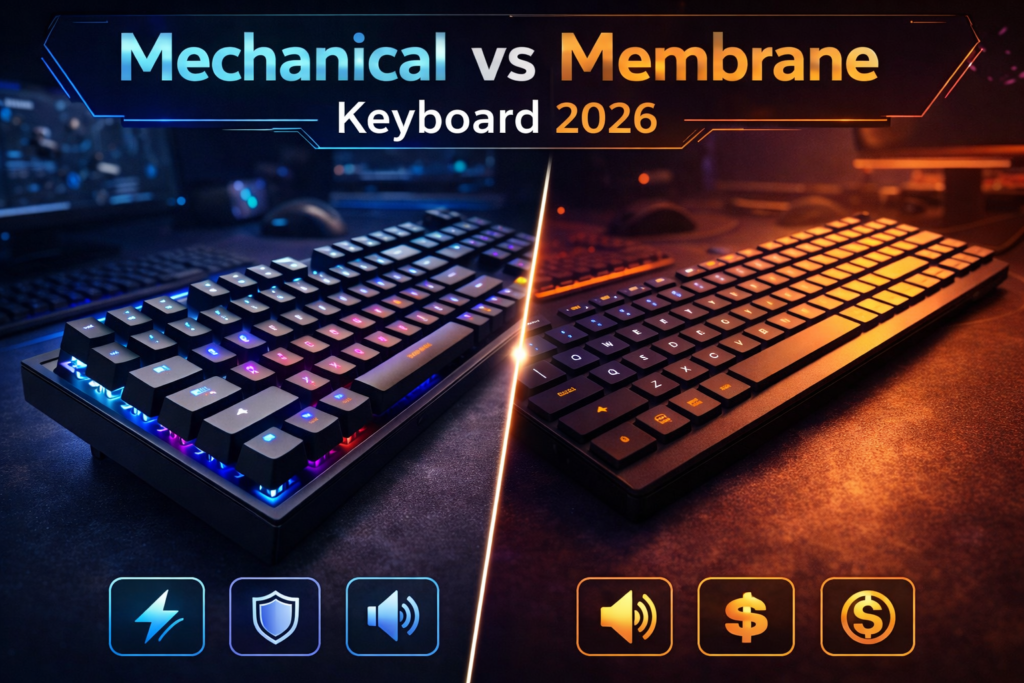
If you’re confused between mechanical and membrane keyboards, this comparison will help you decide. The mechanical vs membrane keyboard debate comes down to three things that actually matter to gamers: performance, durability, and price. In 2026, the options across both types have expanded — and knowing which fits your gaming style can save you money and real frustration. Finding the best gaming keyboard 2026 isn’t just about grabbing the most expensive option on the shelf.
Based on hands-on testing across multiple keyboards and gaming scenarios, here’s what actually matters in 2026. We’ve broken every factor down — from switch types and competitive performance to long-term value and comfort. Here’s everything you need to make the right call.
⚔️ Quick Comparison Table
Before diving in, here’s how both keyboard types stack up at a glance — the sections below give you the full details behind every row.
| Feature | Mechanical Keyboard | Membrane Keyboard |
| Switch Type | Tactile, Linear, Clicky | Rubber Dome |
| Response Time | Faster (1–2ms) | Slower (5–10ms) |
| Durability | 50M+ keystrokes | ~5M keystrokes |
| Noise Level | Varies by switch type | Quieter overall |
| Price Range | $50–$250+ | $15–$80 |
| Best For | Competitive / Long-term | Casual / Budget gaming |
| Typing Feel | Tactile feedback | Soft, mushy feel |
| Customisation | High — swappable keys | Limited |
Which column fits your gaming style better? Keep reading — the table is just the surface.
⌨️ Switch Types & Performance
The biggest difference between mechanical and membrane keyboards isn’t the price tag — it’s what happens the moment your finger presses a key. Understanding gaming keyboard switch types is the foundation of this entire comparison, and it’s simpler than most reviews make it sound.
Linear Switches
Linear switches deliver a smooth keypress from the top of travel to the bottom with no physical bump or audible click at any point along the way. Every press feels consistent, fast, and clean. Popular options include the Cherry MX Red and Gateron Yellow — both are staples in competitive gaming setups worldwide.
- Best for: Fast-paced FPS gaming and rapid repeated keypresses
- Feel: Smooth, fast, no resistance bump at any point in travel
- Noise: Moderate — quieter than clicky, louder than membrane
- Example use: Rapid WASD movement, spray control, and ability spam in Valorant or CS2
Tactile Switches
Tactile switches add a physical bump at the actuation point — the exact moment the keypress registers. You feel the feedback without hearing a loud click, making them a strong all-round choice for both gaming and extended typing. Cherry MX Brown and Gateron Brown are the most widely used options in this category.
- Best for: Gamers who also type heavily — a genuine productivity and gaming balance
- Feel: Bump feedback at actuation, satisfying without being loud
- Noise: Middle ground — more audible than linear, less intrusive than clicky
- Example use: MMO ability management, strategy game inputs, extended typing sessions
Clicky Switches
Clicky switches give you both an audible click and a tactile bump on every single keypress. They’re satisfying, precise, and genuinely loud — Cherry MX Blue and Kailh Box White are the classic examples. Gamers who love audio confirmation of every input tend to gravitate here naturally.
- Best for: Typists and gamers who enjoy audio feedback from their keystrokes
- Feel: Loud click + physical bump — highly satisfying and very deliberate
- Noise: The loudest of all switch types — not suitable for shared spaces
- Example use: Typing-heavy sessions, strategy games, solo setups where noise isn’t a factor
Membrane — Rubber Dome
Membrane keyboards use a single rubber dome layer beneath all the keys. There’s no individual switch per key — pressing any key compresses the dome downward until it makes contact and registers the input. The result is a soft, uniform feel with no distinct actuation point anywhere across the board.
- Feel: Soft and mushy — no tactile feedback indicating exactly when a press registers.
- Noise: Quieter than most mechanical options by default
- Precision: Less precise for fast competitive input — full travel required on every press
- Availability: Widely available at accessible price points
For competitive gaming, linear switches are the standard choice — fast, consistent, and built for rapid repeated keypresses.
🏆 Durability & Build Quality
Mechanical keyboard durability is one of the clearest advantages this category holds — and the gap between mechanical and membrane longevity is not a small or marginal one. This is the comparison that matters most for anyone thinking in terms of long-term value rather than upfront cost alone.
Quality mechanical keyboards are rated at 50–100 million keystrokes per individual switch. At a typical gaming pace, that translates to a keyboard that can genuinely last 10 years or longer with normal use. The switches themselves are the components that wear over time, and on hot-swap boards, you can replace a single failing switch without touching the rest of the keyboard at all.
Membrane keyboards operate on a fundamentally different lifespan. The rubber dome layer degrades with use and is typically rated for around 5 million keystrokes. Under heavy daily gaming use, that degradation becomes noticeable within 1–2 years — keys start feeling mushier, less responsive, and less consistent compared to when the board was first unboxed.
Build frames tell a parallel story. Mechanical keyboards frequently feature aluminium or high-grade reinforced plastic construction, particularly across the mid-range and premium tiers. Membrane boards are typically built with lightweight budget plastic that flexes noticeably under firm pressure and offers limited structural rigidity over time.
The repairability difference is worth understanding before you buy. A mechanical keyboard with a faulty key means swapping one switch — a straightforward fix on any hot-swap board that takes minutes. A membrane keyboard with any level of degradation offers no equivalent repair path. When it wears out, the entire board is replaced.
Durability ratings sourced from manufacturer specifications as of April 2026.
Verdict: For anyone gaming daily, mechanical is the only category with a meaningful long-term lifespan. Membrane is a disposable product at a disposable price point.
💸 Price vs Value
The upfront cost of a mechanical keyboard is higher — but the long-term value calculation shifts considerably when you factor in lifespan and daily performance. Is a $100 keyboard expensive, or is a $35 keyboard you replace every two years actually costing you more over time?
Here’s how value breaks down honestly across price tiers:
- Under $30: Membrane wins clearly. A decent budget option for casual use, and nothing in the mechanical category at this price point competes meaningfully on build quality or longevity.
- $30–$80: Membrane still leads on upfront price, but entry-level mechanical keyboards become available and start representing strong value — particularly models like the Redragon K552 at the lower end of this range.
- $80–$150: Mechanical wins significantly. This tier delivers quality switches, solid construction, and a 10+ year lifespan that no membrane keyboard at any price can match. The value gap here is real and immediately noticeable.
- $150–$250+: Premium mechanical territory — aluminium frames, hot-swap capability, per-key RGB, programmable macros, and build quality that justifies every dollar for serious gamers who invest in their setup long-term.
“A $100 mechanical keyboard bought once will outlast three $35 membrane replacements — and feel better every single day.”
The keyboard comparison becomes straightforward when you think in years rather than months. Budget is still a valid constraint — but if you can stretch to the $80–$150 range, mechanical delivers the better investment without question.
🔇 Comfort & Noise Level
Comfort over a 3–5 hour gaming session is decided by factors most buyers skip entirely when reading spec sheets — and keyboard type plays a bigger role in fatigue than most people expect.
Mechanical Comfort
Mechanical keyboards offer longer key travel distance with a defined actuation point, meaning the keypress registers before the key bottoms out completely. This reduces finger fatigue significantly in extended sessions because you’re not driving every key to the floor on every single input. Tactile feedback also reduces typing errors, which means fewer correction keypresses accumulate over the course of a long session.
Noise level varies considerably by switch type. Linear switches run at a moderate volume — present but generally not disruptive. Tactile switches sit comfortably in the middle range. Clicky switches are loud, genuinely loud, and will be noticed by anyone else in the same room.
Membrane Comfort
Membrane keyboards offer a softer, gentler keypress that some users genuinely prefer — particularly those coming from laptop keyboards or lighter typing backgrounds. The resistance is uniform and low across every key, with no variation between them. For users who find mechanical feedback unfamiliar, the membrane can feel more natural in the first few sessions.
The trade-off is that the membrane requires full key travel to register every press without exception. Over an extended gaming session, bottoming out every key consistently contributes more to finger fatigue than a mechanical board with a defined actuation point. The softness that feels comfortable in a 20-minute session can become noticeably tiring across a 4-hour one.
“If you share a room, game late at night, or work in an office, a membrane keyboard or a mechanical keyboard with silent linear switches is the considerate choice.”
🎮 Real Gaming Experience
Three real scenarios — here’s how each keyboard type actually performs when you’re in the game. Which one sounds like your typical evening?
Competitive FPS Gaming (Valorant, CS2, Warzone)
Mechanical linear switches are the standard for competitive FPS — and the reason becomes obvious within the first serious ranked session. Fast actuation, zero mushiness, and completely repeatable keypresses under sustained pressure are the baseline requirements for competitive input at any meaningful rank. Spray control in CS2 demands consistent, precise keypress timing with no variation between presses. Rapid ability use in Valorant requires inputs that register the moment you intend them — not a fraction of a second into full key travel. The difference between a membrane and mechanical keyboard is clearest here, in exactly these high-stakes moments where input precision directly affects outcomes.
MMO and Strategy Gaming
Tactile mechanical switches shine in MMO and strategy contexts where ability rotation accuracy matters and accidental keypresses carry real consequences. The physical bump at actuation tells your fingers a press has registered without requiring visual confirmation — useful when you’re watching the battlefield rather than your keyboard. Membrane boards work functionally for MMO play but lack the feedback precision that reduces errors across extended sessions of complex ability management and rapid hotbar use.
Casual and Single-Player Gaming
Membrane is perfectly adequate for casual single-player experiences — story-driven games, open-world exploration, and relaxed co-op sessions with friends. In Elden Ring or Cyberpunk 2077, the keyboard is rarely the limiting factor in your enjoyment. If budget is the primary concern at this level of gaming, a membrane board saves money that goes significantly further toward a better GPU, monitor, or headset.
“Your game genre matters as much as your budget when picking a keyboard — a competitive FPS player and an MMO raider have genuinely different input needs.”
🖥️ Top Keyboard Picks for 2026
Here are four real, tested keyboards covering every type of gamer in this comparison — so you can move from decision to purchase with full confidence.
1. Best Mechanical Overall — Logitech G Pro X TKL (~$130)
- Switch: Hot-swappable GX Linear/Tactile
- Best for: Competitive FPS players who want pro-grade performance with the flexibility to swap switches as their preference evolves over time. The hot-swap system makes this a genuine long-term investment — change the feel of the board entirely without replacing the board.
2. Best Budget Mechanical — Redragon K552 Kumara (~$35)
- Switch: Outemu Red (Linear)
- Best for: Beginners upgrading from membrane on a tight budget who want a genuine mechanical feel at prices that compete directly with membrane options. The most accessible legitimate entry point into mechanical gaming keyboards available in 2026.
3. Best Membrane Overall — Razer Ornata V3 (~$80)
- Switch: Hybrid Mecha-Membrane
- Best for: Gamers who want the softness of membrane with slightly more tactile response than a standard rubber dome — a thoughtful middle-ground option that bridges both categories without fully committing to either extreme.
4. Best Budget Membrane — Redragon K503 RGB (~$25)
- Switch: Membrane
- Best for: Casual gamers who need a functional, affordable keyboard for relaxed gaming sessions without any performance demands or customisation requirements to think about.
Prices verified from major retailers as of April 2026 — check current listings, as stock and pricing may vary.
🔧 Customisation & Extra Features
For gamers who treat their setup as an extension of their identity, the customisation gap between mechanical and membrane keyboards is not subtle — it’s the difference between a ceiling and no ceiling at all.
Mechanical Advantages
Mechanical keyboards open up a full ecosystem of personalisation that membrane simply doesn’t access. Keycap swapping lets you replace individual keys — or the entire keycap set — with custom caps in different colours, profiles, and materials sourced from a thriving aftermarket community. Hot-swap boards go further, letting you change the switches themselves without soldering, meaning you can completely retune the feel of your keyboard in a single afternoon.
Per-key RGB lighting is more common, more vibrant, and more granularly controlled on mechanical boards than any membrane equivalent. Premium models add macro programming and onboard memory, letting you carry custom profiles seamlessly between setups. Tenkeyless and 60% layouts are standard across most mechanical manufacturers — saving meaningful desk space without sacrificing competitive performance.
Membrane Limitations
Membrane keycaps are typically not compatible with aftermarket replacements — the stem design differs from the standard mechanical profile that the entire custom keycap market is built around. RGB exists across many membrane boards but tends to be less vivid, less per-key, and far less configurable than mechanical equivalents at comparable prices. Macro programming and onboard memory are rarely offered at the price points where membrane keyboards actually compete.
“For gamers who enjoy personalising their setup, mechanical keyboards offer a customisation ceiling that membrane simply cannot match.”
🎯 Competitive Advantage: Does Your Keyboard Actually Matter?
The honest answer is yes — and the reasons go well beyond the surface-level speed comparison most articles stop at. This is where the mechanical vs membrane keyboard question gets settled for serious players who want a straight answer.
Response time is the starting point. Mechanical switches actuate at 1–2ms. Membrane registers at 5–10ms. In isolation across a single keypress, that gap is imperceptible to any human. But a competitive gaming keyboard session involves thousands of inputs — ability uses, movement adjustments, weapon switches, counter-strafes — and the consistency of faster actuation across every single one of those inputs is where the real difference accumulates over the course of a match.
Anti-ghosting and N-key rollover are the less-discussed factors that matter most at high levels of competitive play. N-key rollover means every key pressed simultaneously is registered individually, with no dropped inputs, regardless of how many keys are held at once. Most mechanical keyboards support full N-key rollover as standard. Cheaper membrane boards often support only 6-key rollover — meaning complex keybind combinations involving six or more simultaneous inputs can produce missed keypresses at exactly the moments that matter most.
The pro player standard exists for a concrete reason. Virtually every professional esports player across Valorant, CS2, and similar titles uses a mechanical keyboard as their standard competitive setup. The precision, reliability, and consistency at high-level play aren’t a coincidence — it’s the product of a hardware category built specifically for the demands of competitive input under pressure.
Does this mean the membrane is useless for competitive play? Not entirely — casual competitive players in lower rank brackets are genuinely unlikely to hit the ceiling of what membrane can deliver. But for anyone seriously trying to climb, mechanical removes variables that the membrane quietly introduces into every session.
👍 Pros & Cons
Here’s the full picture — no sugarcoating.
Mechanical Keyboard
Pros:
- Faster actuation and more precise input on every keypress
- Durable — 50M+ keystrokes per individual switch
- Multiple switch types for different gaming and typing preferences
- Hot-swap options for easy switch customisation without soldering
- Better long-term value despite the higher upfront cost
- N-key rollover standard on most models
Cons:
- Higher upfront purchase price across all tiers
- Clicky switches can be disruptively loud in shared spaces
- Heavier and bulkier than membrane alternatives
- Switch selection requires some research before purchasing
Membrane Keyboard
Pros:
- Affordable — strong functional options available under $30
- Quieter by default — significantly better for shared spaces and late-night sessions
- Lighter and more portable overall
- No switch selection required — simple plug and play straight from the box
Cons:
- Degrades faster — approximately 5M keystroke lifespan under regular use
- Mushy feel with no tactile feedback at the actuation point
- Limited customisation options across keycaps, switches, and software
- Higher input latency compared to mechanical at equivalent price points
👤 Who Should Buy What?
The mechanical vs membrane keyboard decision becomes genuinely simple when you match it honestly to how you actually game, not how you imagine you might game in an ideal setup.
Choose Mechanical if you are:
- A competitive FPS or esports player at any serious rank
- A gamer who plays 3 or more hours daily and values input consistency
- Someone who prioritises long-term durability over immediate upfront savings
- A streamer or content creator who wants a premium, fully personalised setup
- Anyone who enjoys keyboard customisation as part of the hobby itself
- A typist who wants satisfying, precise tactile feedback throughout the workday
Choose Membrane if you are:
- A casual or occasional gamer without daily heavy use demands
- Working within a tight budget of $30–$40 with no flexibility
- Gaming in a shared room, shared apartment, or late at night regularly
- A beginner just entering PC gaming for the first time
- Someone who genuinely prefers a quieter, softer keypress feel
🏅 Final Verdict
After hands-on testing across both keyboard types and multiple gaming scenarios, here’s where each stands for the best gaming keyboard 2026 decision.
| Category | Mechanical | Membrane |
| Performance | 9/10 | 6/10 |
| Durability | 10/10 | 5/10 |
| Comfort | 9/10 | 7/10 |
| Noise Level | 6/10 | 9/10 |
| Value for Money | 8/10 | 8/10 |
| Customisation | 10/10 | 4/10 |
| Overall | 8.5/10 | 6.5/10 |
Best for competitive gaming → Mechanical. Faster actuation, better durability, and the precision every serious gamer needs.
Best for casual and budget gaming → Membrane. Quieter, cheaper, and perfectly capable for relaxed gaming sessions.
Best overall → Mechanical — by a clear margin. The long-term value, performance advantage, and customisation ceiling make it the smarter investment for anyone who games regularly. Only choose the membrane if the budget is the primary constraint.
Drop a comment below — are you Team Mechanical or Team Membrane? Share this with a friend who’s still building their setup.
Published by DaniGamers | mechanical vs membrane keyboard | best gaming keyboard 2026 | keyboard comparison | DaniGamers.com